
OpenAI has updated its Chrome extension, allowing ChatGPT to access open tabs to perform tasks, compare information, and automate workflows.
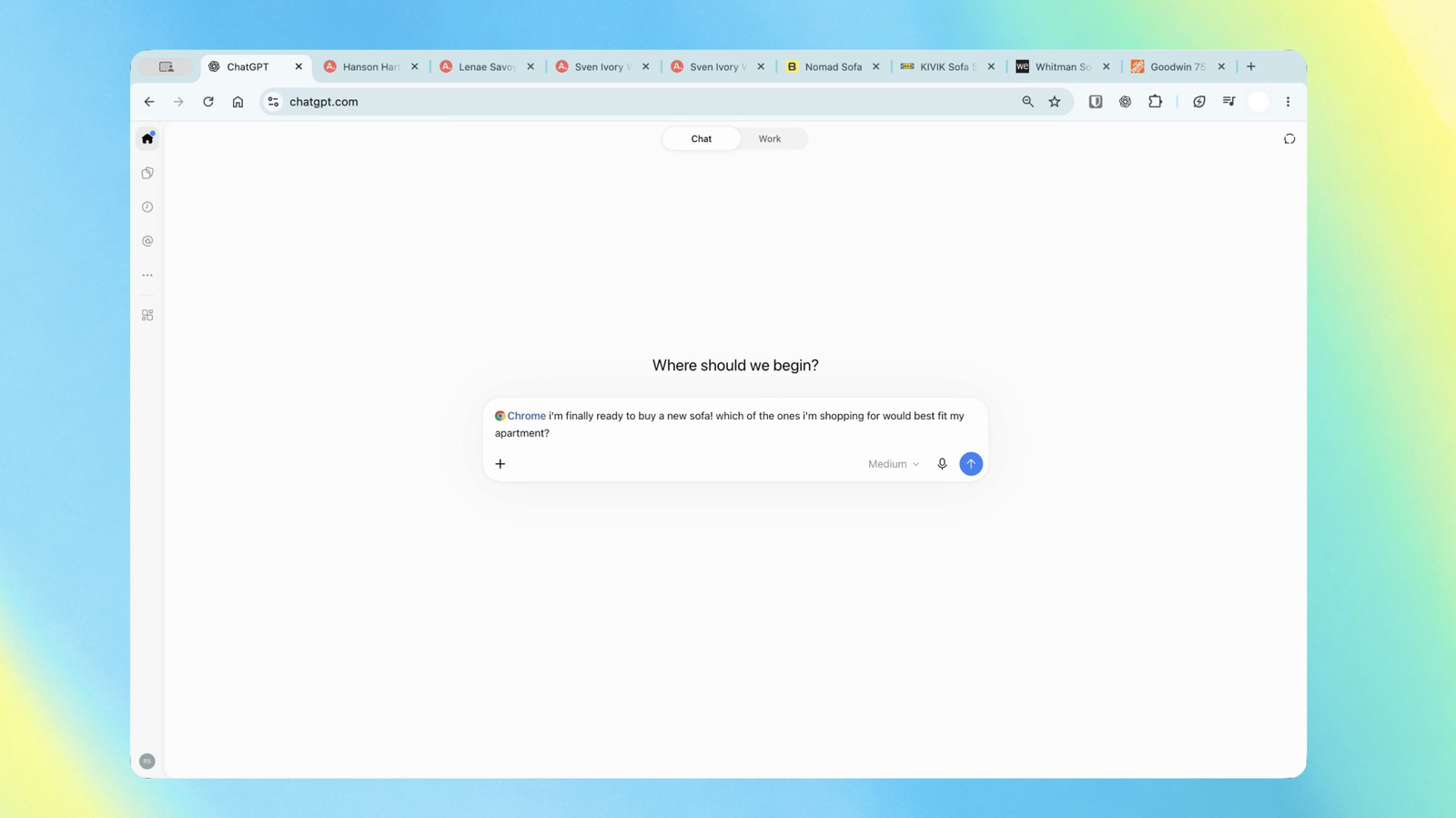
Key facts
- •The updated ChatGPT Chrome extension is available to all users regardless of their subscription plan.
- •Users can trigger the AI to scan open tabs by using the '@chrome' tag within the ChatGPT interface.
- •The extension is compatible with Chrome and other Chromium-based browsers, including Microsoft Edge, Brave, and Opera.
- •Work mode enables the AI to perform automated actions such as filling out forms, sending messages, and organizing browser tabs.
- •The sidebar now displays a user's entire chat history, allowing for continuous interaction without leaving the current webpage.
OpenAI has released an update to its ChatGPT Chrome extension that enables the AI to view and interact with a user's open browser tabs. By tagging the extension, users can now ask ChatGPT to analyze content across multiple pages, summarize information, or perform automated tasks directly within the browser. The update is available to users across all ChatGPT plans and is compatible with Chrome as well as other Chromium-based browsers like Microsoft Edge, Brave, and Opera.
Enhanced Browser Capabilities
The updated extension introduces two primary modes of operation: Chat and Work. In Chat mode, users can ask the AI to synthesize information from multiple open tabs. For example, the tool can compare products across different websites by evaluating dimensions, pricing, shipping times, and return policies. It can also summarize articles or extract data from multiple sources simultaneously. In Work mode, the extension utilizes 'Computer Use' capabilities to perform more complex, multi-step tasks. This allows the AI to control browser functions to fill out online forms, send messages, download files, and organize or group open tabs. OpenAI demonstrated these features by showing the AI filling out a dentist registration form and adding appointments to a calendar, or analyzing contractor service terms to draft a professional email.
Sidebar Integration and History
The update also features an upgraded sidebar that provides users with access to their full ChatGPT conversation history while browsing. This integration allows users to interact with the AI without navigating away from their current webpage. The sidebar is designed to maintain the full functionality of the ChatGPT interface, enabling users to manage tasks or continue discussions side-by-side with their active browser content.
Advertisement
This article was independently rewritten by ManyPress editorial AI from reporting originally published by The Decoder, The Verge AI, Engadget.